Simple Calendar Widget download for android 14 (Upside Down Cake)
APK file Simple Calendar Widget 2.4.8 compatible with Android 14How to install APK / APKS / OBB file on Android
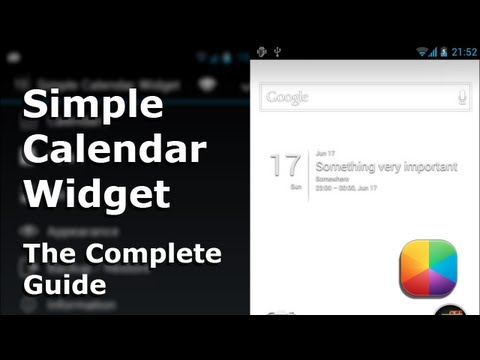

Functional on both phones and tablets, Simple Calendar is the most popular and highest rated minimal calendar widget available. It integrates with your existing calendar to show upcoming appointments directly on your homescreen. It can show the weather, sports schedules, holidays, and more.
***Latest update (2.4.8): Major ad spamming issue fixed, switched to a different ad provider. As requested by many users, we have also released a completely ad-free pro version of Simple Calendar, get it here: https://play.google.com/store/apps/details?id=com.anod.calendarpro***
Features and Configuration Options Include:
- Skins
- Font style and background customization
- Select which application opens on click
- Fonts, colors, text size
- Supports tasks using Dato and GTasks
F.A.Q
- How do I place the widget on my homescreen?
Long-press your homescreen, choose "widgets," find "Simple Calendar Widget," and drag it to the homescreen. On most Android 4.0 devices, widgets can be found under the "Widgets" tab in app drawer.
- I can't find Simple Calendar in my widget list!
Try restarting your device.
- How do I resize the widget?
Android 3.0+ supports resizing of widgets by default. For older Android versions this can be done by installing an alternate launcher.
- How do I show the weather forecast on the widget?
On your desktop Google calendar, just add weather. For instructions, search Google for "Weather forecasts in your calendar".
- How do I add holidays, birthdays, or sports schedules?
- Search Google for "Adding interesting dates to Google Calendar" and follow the instructions.
Permissions:
READ CALENDAR: Access to the calendar information
WRITE_EXTERNAL_STORAGE: Backup to SD card
- LicenseFree
- File nameSimple Calendar Widget
- File Version2.4.8
- Package namecom.anod.calendar
- Size1.44 MB
- UploadedJune 28, 2017
- Android2.1 or later
- CategoryProductivity
- DeveloperMYCOLORSCREEN
- Developer site
- Developer emailgoogleplay@apn.ask.com
- md5 hashd7b15c87222298a769c38630f991229c
- Architecture-
- Permissionsshow (5)